
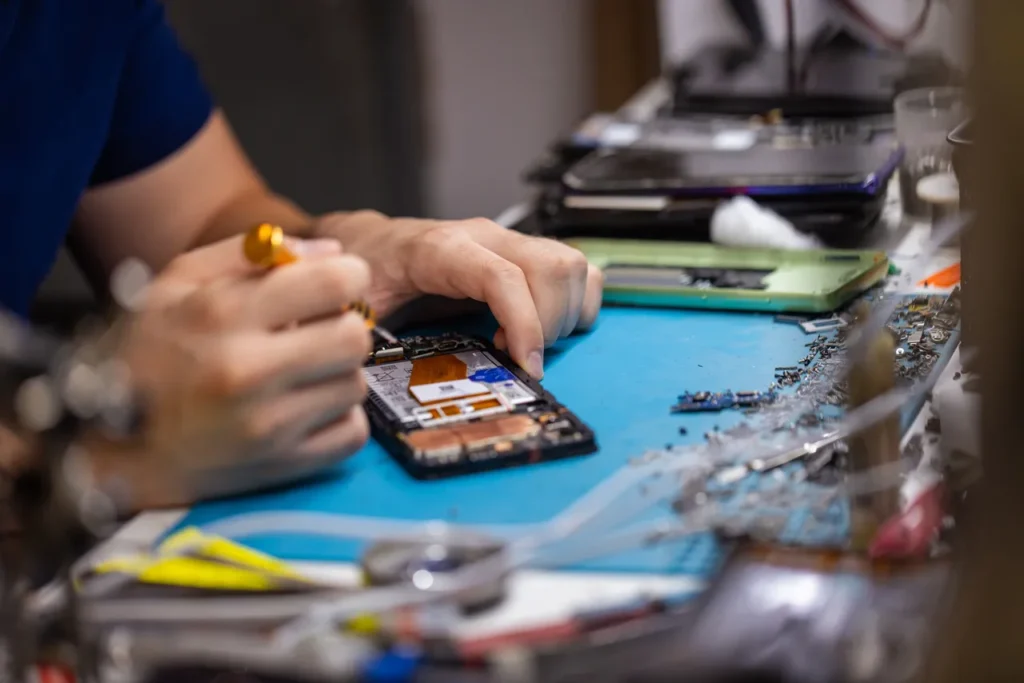
Your Phone Won’t Wait—Why Prompt Repairs Matter in Jacksonville
Every day, thousands of mobile users across Jacksonville face sudden screen cracks, battery drain, charging port issues, or water damage—especially during humid summers or after an accidental splash at the beach. In a fast-moving city where staying connected impacts work, travel, and social life, even minor malfunctions can disrupt your routine. Mobile phones are more than devices; they’re your wallet, GPS, calendar, and lifeline to family and friends. Delaying repairs not only increases the risk of further damage but can also compromise your data and performance.
From sticky touchscreens due to sand exposure near Jacksonville Beach to moisture buildup after thunderstorms, local environmental factors accelerate wear and tear. Quick attention to early symptoms—like slow response times or erratic battery behavior—can prevent costly replacements. This guide walks you through recognizing common phone problems unique to Florida’s climate and urban lifestyle, understanding which issues require immediate action, and learning how simple maintenance can extend your device’s lifespan. Knowing when and how to act makes all the difference.
Fix Frozen Screens and Crashing Apps in Seconds
If your phone is acting up with unresponsive screens or apps that close unexpectedly, you’re not alone—especially in a tech-heavy city like Jacksonville where mobile reliance is high. Before heading to a repair shop, try these proven troubleshooting steps to resolve common software glitches quickly and safely.
- Force Restart Your Device
Hold the power button and volume down key simultaneously for 10–15 seconds. This clears temporary system errors without erasing data. Most modern smartphones respond to this universal fix, even when frozen. - Close Problematic Apps
Swipe up from the bottom (or double-press home button on older models) to access the app switcher. Swipe away apps that keep crashing. This frees up memory and resets app processes. - Clear App Cache
Go to Settings > Apps, select the problematic app, and tap Storage > Clear Cache. This often resolves glitches caused by corrupted temporary files. - Update Software
Check for OS and app updates under Settings > Software Update and the app store. Updates patch bugs and improve stability. - Boot in Safe Mode (Android)
Restart and hold the power-off option to enter Safe Mode. If the issue stops, a third-party app is likely the culprit—uninstall recent downloads one by one.
Pro Tip: Regularly restarting your phone weekly can prevent many software issues before they start. For persistent problems, professional diagnostics may be needed—especially if water exposure or physical damage is suspected.
Top 5 Physical Damages from Daily Use & How to Handle Them Immediately
Smartphones are essential tools—but they’re also fragile. For Jacksonville residents navigating humid coastal weather, busy commutes, and beachside activities, everyday wear can lead to sudden damage. Knowing how to respond the moment an issue occurs can mean the difference between a quick fix and costly repairs. Here are the top five physical damages seen from daily smartphone use and immediate steps you can take to minimize long-term harm.
- Cracked or Shattered Screens
A drop on St. Johns County pavement or a fall from a Jacksonville Beach boardwalk bench often results in spiderweb cracks. If your screen is compromised, avoid touching exposed areas to prevent cuts. Power down the device if lines spread across the display or touch responsiveness fails. Keep the phone in a dry place—humidity from Florida’s coastal air can worsen internal damage. Use a protective case and consider a screen protector for prevention. - Water and Moisture Exposure
Whether it’s a splash in the pool or sudden summer thunderstorms, water damage is common. Immediately power off the device—do not charge it. Remove the SIM card and any external accessories. Dry the exterior gently with a lint-free cloth, then place the phone in a sealed container with silica gel packets (not rice—it’s outdated and less effective). Avoid heat sources like hairdryers. - Bent or Warped Frames
Dropping your phone on hard surfaces like concrete near Riverside Square or Riverplace can twist the chassis, interfering with port access and screen alignment. Do not force cables into misaligned ports. Assess for internal damage—if the device overheats or reboots unexpectedly, disconnect power and seek professional evaluation to prevent battery or motherboard issues. - Loose or Damaged Charging Ports
Frequent plug-and-unplug cycles at work, in your car, or around town can loosen the charging port. Avoid wiggling cables to get a connection—this worsens internal solder damage. Instead, use wireless charging temporarily and inspect for lint or debris using a soft brush. If the phone charges intermittently, stop use immediately to prevent short circuits. - Camera Lens Scratches or Misalignment
Sand at Jacksonville Beach or pocket debris can scratch lenses, while drops can dislodge internal camera modules. Don’t wipe the lens with rough fabric—use a microfiber cloth. If photos appear blurry or the lens housing is cracked, avoid zooming in and out aggressively. Physical misalignment can affect autofocus and sensor calibration, so limit use until inspected.
What to Expect: Phone Repair FAQs for Jacksonville Residents
When your phone malfunctions, knowing what to expect from a repair service can ease the stress of unexpected downtime. Here are some common questions Jacksonville residents have about phone repairs—and the answers you need.
How much does phone repair typically cost in Jacksonville?
Pricing varies based on the device model and issue type. Screen replacements for most smartphones range from $80 to $200, while battery repairs or charging port fixes usually fall between $50 and $120. Water damage repairs tend to be more variable, depending on internal corrosion and part replacement needs.
How long does a standard phone repair take?
Many common repairs, like screen or battery replacements, are completed in under two hours. More complex issues—such as motherboard repairs or water damage diagnostics—may take 24 to 48 hours, depending on part availability and technician assessment.
Is there a warranty on phone repairs?
Yes,we lifetime warranty all screen repairs
Can I get my phone fixed the same day?
Yes we offer same-day service, especially for routine fixes like cracked screens or battery swaps. Walk-ins are often welcome, but scheduling an appointment can reduce wait times.
How do I know if my phone is repairable after water exposure?
Immediate power-off and professional diagnosis are critical. Our Technicians use specialized tools to assess moisture levels and test circuits. Even if the phone appears dead, internal components may still be salvageable with prompt care.
Does repairing my phone void the manufacturer’s warranty?
Using third-party services may impact manufacturer warranty coverage. However, repairs done with OEM-compatible parts and proper calibration help maintain device integrity and functionality without automatic warranty cancellation.
Trusted Repair Choices and Long-Term Device Care in Jacksonville
Choosing the right repair partner is just as important as acting quickly when your phone is damaged. In Jacksonville, where humidity and coastal conditions can accelerate wear, selecting a service provider with certified technicians and genuine or high-grade replacement parts ensures your repair lasts.
To extend your device’s lifespan, combine professional repairs with smart daily habits. Avoid exposing your phone to extreme temperatures, use responsive chargers, and invest in rugged, fit-specific cases that match Jacksonville’s active lifestyle. Regular cleaning of ports and speakers helps prevent dust and moisture buildup, especially after beach outings or outdoor events.
When your phone needs more than a DIY fix, trust a repair shop that prioritizes transparency, efficiency, and quality—qualities that define top-rated services across Northeast Florida. Visit your trusted local repair provider’s website to schedule a diagnostic, check warranty details, or explore maintenance tips tailored to coastal climates. The best repairs aren’t just fast—they’re built to last.
Leave a Reply